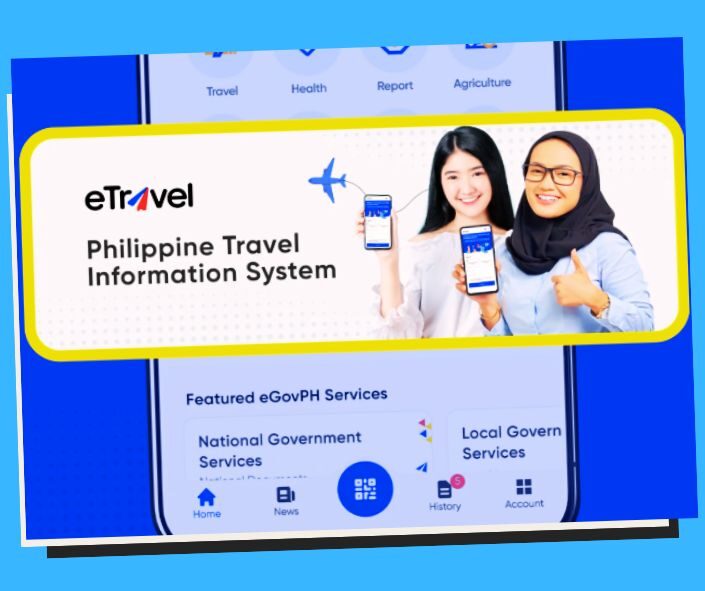
How to Use e-Travel: The 5-Minute Airport Clearance Guide
Clearance in 5 minutes! Learn how to navigate the updated e-Travel system for a seamless, paperless arrival or departure in the Philippines.
How to Use the e-Travel Registration System for 5-Minute Airport Clearance
The long queues at NAIA, Mactan-Cebu, and Clark are being dismantled by digital efficiency. The e-Travel registration system has evolved into a unified “single window” that consolidates immigration, health, and customs declarations into one simple QR code.
If you do it right, your interaction with an immigration officer can take less than 60 seconds, leading to a total “plane-to-taxi” clearance time of under 5 minutes. This guide walks you through the updates and the “Green QR” secrets that frequent flyers use to skip the wait.
Philippine e-Travel Registration System
The landscape is powered by the eGovPH super-app and the etravel.gov.ph portal. Paper arrival cards and manual customs forms are now officially relics of the past. As of March 2026, the system is strictly mandatory for all arriving passengers (Filipino and Foreigners) and departing Filipino citizens. Note: Registration is 100% free. If a website asks for payment, it is a scam.
Step 1: The 72-Hour Window
You cannot register too early. The system only accepts entries within 72 hours (3 days) before your scheduled time of arrival in or departure from the Philippines.
- Pro Tip: Register exactly 48 hours before your flight to ensure your health declaration is current but you aren’t rushing at the boarding gate.
Step 2: Documents You Need Ready
To finish in under 5 minutes, have these 4 items on your screen or desk:
- Passport: Number, expiry, and country of issue.
- Flight Details: Airline name, flight number, and date.
- Accommodation Address: Hotel name or your residence in the PH.
- Email Address: To receive your OTP (One-Time Password) and QR code.
Step 3: The “Single-Form” Workflow
- Visit the Official Site: Go to etravel.gov.ph.
- Account Creation: You can create a permanent profile to save your passport data for future trips.
- Travel Declaration: Input your purpose of travel (e.g., Tourism, Balikbayan, Business).
- Health Declaration: Answer 2–3 quick questions about recent symptoms.
- Customs Declaration: This is now integrated. You only need to declare if you are bringing in more than $10,000 USD (or equivalent) or taxable commercial goods.
Step 4: The “Green QR” vs. “Red QR”
- Green QR Code: This is the goal. It means your data is complete and you are pre-cleared. You can use the Express Lane.
- Red QR Code: Usually issued if you have missing data or health symptoms. You will need to see a Bureau of Quarantine officer for a quick manual interview.
Pros and Cons of the e-Travel System
| Pros | Cons |
| Paperless Convenience: No more scrambling for a pen on the airplane. | Internet Dependence: You cannot register without a stable connection. |
| Express Lane Access: Green QR holders skip 70% of the manual checks. | Device Vulnerability: If your phone dies at the counter, you face delays. |
| One-Stop Hub: One form covers Immigration, Health, and Customs. | Scam Risks: Many fraudulent sites try to charge for this free service. |
| Permanent Profiles: Frequent travelers can save data for 1-click updates. | Time-Out Issues: The web form resets if you are inactive for 30 minutes. |
| Family Feature: One user can register an entire family under one account. | Strict Window: Registration is invalid if done more than 72 hours early. |
| Real-Time Updates: Airlines can verify your status before you even board. | Input Errors: A single typo in your passport number can cause a Red QR. |
| Free of Charge: No government fees for any traveler. | Privacy Concerns: Centralized data storage requires high cybersecurity. |
| Mobile Friendly: Works perfectly on smartphones via any browser. | Learning Curve: Older travelers may need assistance with the digital UI. |
| Traceability: Helps the Bureau of Quarantine manage health risks faster. | System Glitches: Peak travel times can sometimes slow down the server. |
| Customs Integration: Speeds up the “nothing to declare” process. | Mandatory for All: Even regular commuters must register every single time. |
Frequently Asked Questions (FAQ)
- Is e-Travel free?
- Yes, it is 100% free of charge. Beware of sites asking for “processing fees.”
- Do I need the eGovPH app?
- It is recommended for travel, but the web browser version at
etravel.gov.phworks just as well.
- It is recommended for travel, but the web browser version at
- What if I made a mistake?
- Use the “Edit Registration” tab on the website to correct your info before you land.
- Does every family member need an account?
- No. One person can create an account and “Add Traveler” for everyone else.
- Do I need to print the QR code?
- No. A digital screenshot on your phone is sufficient.
- Can I register after I land?
- It is highly discouraged and will cause delays. Most airlines won’t let you board without it.
- Is a COVID-19 vaccine card still required?
- Most restrictions are lifted, but the e-Travel system still asks for a quick health self-declaration.
- What happens if I get a Red QR?
- Don’t panic. It just means you need a 2-minute chat with a Health Officer upon arrival.
- Do departing foreigners need to register?
- Usually, no; the departure requirement primarily applies to Filipino citizens.
- Does e-Travel replace my Visa?
- No. It is a travel declaration system. You still need a valid Visa or Visa-free entry status.
Practical Tips
- The Screenshot Rule: Internet at NAIA can be spotty. Always screenshot your QR code immediately after it is generated.
- Update, Don’t Re-register: If you have an account, just log in and click “Update.” It takes 60 seconds because your passport info is already saved.
- Customs declaration is ₱50,000: If you have more than ₱50,000 (local currency) or $10,000 (foreign), you must use the declaration section to avoid heavy fines.
- Check the URL: Ensure the address is
.gov.ph. Any other domain suffix is likely a scam.
Conclusion
Using the updated e-Travel registration system is the ultimate “life hack” for Philippine travel. By spending 5 minutes on your phone before you leave, you buy yourself hours of avoided stress at the airport.
Link Resources
- Official e-Travel Portal: https://etravel.gov.ph
- Bureau of Immigration PH: https://immigration.gov.ph
- Bureau of Customs (Baggage Rules): https://customs.gov.ph
- Department of Health (Quarantine): https://doh.gov.ph
- eGovPH App Information: https://egov.gov.ph
Key Phrases
- How to use e-Travel Philippines
- e-Travel registration system 5-minute clearance
- Official website for Philippines travel QR code
- Skip the line Philippines immigration
- e-Travel health and customs declaration guide
- Registering for e-Travel within 72 hours
- Green QR code versus Red QR code PH
- e-Travel requirements for arriving passengers
- Free e-Travel registration Philippines guide
- Bureau of Immigration e-Travel update
Best Hashtags
#howPhilippines #eTravel2026 #TravelPH #NAIAexpress #PhilippineImmigration #SmartTravel #PinoyTraveler #GreenQR #ClearanceIn5 #TravelTechPH
Disclaimer
The information is for educational purposes only and subject to change, and it is highly recommended to consult local authorities for the latest and most accurate updates. We do not constitute endorsement of any specific technologies or methodologies or endorse of any specific products or services. For queries, questions, corrections, or updates, please send us a message through our Contact Us page. We welcome feedback to ensure our guides remain accurate, updated, and helpful for everyone